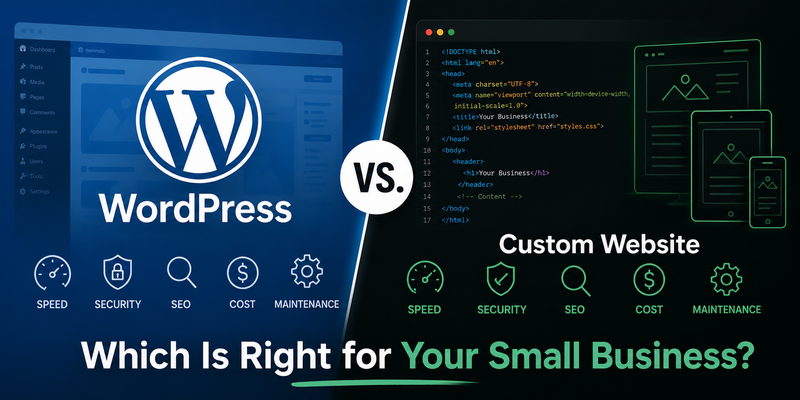
WordPress vs. Custom Website: Which Is Right for Your Small Business?

WordPress powers over 43% of all websites on the internet. That’s an impressive number — but it doesn’t mean it’s the right choice for your business. This post breaks down the real differences between WordPress and a custom-coded website, so you can make an informed decision rather than just going with what’s familiar.
What We’re Actually Comparing
When most people say “WordPress website,” they mean a site built using the WordPress CMS, a premium theme (like Divi or Astra), and a stack of plugins to handle forms, SEO, caching, security, and anything else the theme doesn’t include out of the box.
A custom-coded website, by contrast, is built from scratch — no CMS, no pre-built theme, no plugin stack. Every page, every feature, and every line of code is written specifically for that site. That’s how we build at AZP Systems: plain HTML, CSS, and JavaScript, no WordPress involved.
These are fundamentally different approaches. Here’s how they compare across the things that actually matter for a small business.
Speed and Performance
WordPress
A WordPress site’s speed depends heavily on how it’s configured. A well-optimized WordPress site with a lightweight theme, good hosting, and proper caching can load reasonably fast. But most WordPress sites — especially those built by freelancers or budget agencies — aren’t well-optimized. They’re loaded with a theme framework, multiple page builder scripts, several plugins (each adding its own CSS and JavaScript), and shared hosting that wasn’t chosen with performance in mind.
The result is what developers call “WordPress bloat” — a site that sends far more code to the browser than it actually needs to. This slows down load times, hurts Core Web Vitals scores, and costs you visitors before they’ve even seen your homepage.
Custom Website
A custom-coded site only contains the code it needs. There’s no theme framework loading fonts and scripts you didn’t ask for. No caching plugin trying to compensate for code that shouldn’t be there in the first place. The result is a significantly leaner site that loads faster — often in under a second — and consistently scores 95–100 on Google PageSpeed Insights.
Speed matters more than most business owners realize. Google uses page speed as a ranking factor. And studies consistently show that more than 50% of visitors leave a page that takes longer than 3 seconds to load on mobile. Every second of load time is costing you potential customers.
The bottom line on speed: Custom wins — and it’s not close. A custom-coded site will almost always outperform a WordPress site of equivalent complexity.
Security
Wordpress
WordPress is the most hacked CMS in the world — not because it’s inherently insecure, but because it’s everywhere and attackers know exactly where to look. The real vulnerability isn’t WordPress itself; it’s the plugin ecosystem. Most WordPress sites run 10–20 plugins. Each one is a potential entry point. Plugins go unmaintained, conflict with each other, and introduce vulnerabilities that get exploited before site owners even know the update exists.
If you’ve ever logged into a WordPress site and seen a dashboard full of update notifications, you’ve seen this problem firsthand. Keeping a WordPress site secure is an ongoing job — not a one-time setup.
Custom Website
A static, custom-coded site has no CMS login page, no plugin stack, no database, and no admin panel to target. There’s nothing for an attacker to exploit in the traditional sense. The site is just files served directly to the browser. This eliminates the entire category of attack that targets CMS-based sites.
That doesn’t mean custom sites are invincible — hosting security, DNS configuration, and SSL still matter — but the attack surface is dramatically smaller. For most small business websites, a custom-coded static site is about as secure as a website gets.
The bottom line on security: Custom wins. A static site sidesteps the mostcommon attack vectors that affect WordPress sites.
SEO
WordPress
WordPress has a strong ecosystem of SEO plugins — Yoast and Rank Math are the most popular — and they make it straightforward to set meta titles, descriptions, and basic on-page SEO elements. For most small businesses, this level of SEO control is sufficient.
The problem is that SEO and site speed are deeply connected. Google’s Core Web Vitals — Largest Contentful Paint, Cumulative Layout Shift, Interaction to Next Paint — are direct ranking factors, and they’re all performance metrics. A slow WordPress site is fighting an uphill battle for rankings regardless of how well its Yoast settings are configured.
Custom Website
A custom-coded site gives you complete control over every aspect of how it’s built — semantic HTML structure, heading hierarchy, schema markup, page speed, image optimization, and crawlability. None of these things are constrained by a theme or a plugin’s limitations. Combined with the speed advantage, a custom site starts at a better position in Google’s eyes from day one.
That said, on-page SEO and technical SEO are just two parts of the ranking equation. Content quality and backlinks still matter enormously. A well-written WordPress site with strong content and good links can outrank a poorly optimized custom site. The point is that a custom site removes the technical obstacles that hold many WordPress sites back.
The bottom line on SEO: Advantage custom — especially for local search where Core Web Vitals and mobile speed have a direct impact on rankings.
Cost
WordPress
WordPress itself is free, which is why it’s so widely used. In practice, though, a professional WordPress site has real costs:
- Premium theme: $50–$300 (often annual renewal)
- Page builder plugin (Elementor Pro, Divi): $100–$200/year
- SEO plugin (Yoast Premium, Rank Math Pro): $100/year
- Security plugin (Wordfence, Sucuri): $100–$200/yea
- Backup plugin: $50–$100/year
- Managed WordPress hosting: $30–$100/month
- Developer time for setup and customization: $1,500–$5,000
Add those up and a WordPress site built by a professional often runs $3,000–$6,000 upfront, plus $600–$1,500/year in ongoing subscriptions and maintenance. And that’s before counting developer time when something breaks.
Custom Website
A custom-coded site has a higher upfront development cost — because more skilled time goes into building it. But the ongoing costs are dramatically lower. No plugin subscriptions. No premium theme renewals. No CMS to maintain. Just hosting ($30–$50/month) and the occasional update.
At AZP Systems, we offer custom-coded websites starting at $200/month (12-month minimum) with $0 down — covering design, development, hosting, unlimited edits, and support. Or a one-time build starting at $3,500 plus $40/month hosting. Over 2–3 years, the total cost of ownership is often comparable to or lower than a professionally built and maintained WordPress site.
The bottom line on cost: WordPress wins upfront. Custom wins over time, especially when you account for the ongoing plugin and maintenance costs that WordPress sites accumulate.
Ease of Use and Content Management
WordPress
This is WordPress’s strongest argument. Its dashboard is designed for non-technical users. Adding a blog post, updating a service description, or swapping an image is genuinely easy without touching any code. If you want to manage your own content regularly, WordPress gives you that control out of the box.
Custom Website
A custom-coded static site doesn’t have a built-in CMS, which means content changes typically require either a developer or a headless CMS setup (like Netlify CMS or Sanity). For businesses that rarely update their site — and most small service businesses don’t — this isn’t a problem. If you want to publish blog posts or update content frequently without developer help, it’s worth discussing with your developer upfront.
At AZP Systems, our monthly plan includes unlimited edits, so clients just email or text us and we handle it. For many small businesses, that’s simpler than learning a CMS.
The bottom line on ease of use: WordPress wins if you want to manage content yourself. Custom wins if you’d rather just send a message and have it handled.
Long-Term Maintenance
This is where many business owners get a nasty surprise with WordPress. A site that worked perfectly at launch can degrade over time as plugins become incompatible with each other or with WordPress core updates. A theme that was well-supported in 2022 might be abandoned by 2025. Plugins get bought out by new companies and monetized aggressively or simply stop being updated.
A custom-coded site doesn’t have these problems. There’s no plugin ecosystem to decay, no theme developer to abandon the project. The site works the same way in five years as it did on launch day. Updates are intentional changes you make, not patches pushed out to prevent security breaches.
So Which Should You Choose?
Here’s an honest framework:
Consider WordPress if…
- You need to manage and publish content yourself regularly (especially blog posts or news)
- You have a very tight budget and need something live quickly
- You need specific functionality (e.g. WooCommerce for ecommerce) that would be expensive to build from scratch
- You already have an existing WordPress site and just need improvements
Consider a custom site if…
- Performance and Google rankings are a priority
- You’re in a competitive local market (like Toronto) and need every technical edge
- You don’t want to think about plugin updates, security patches, or maintenance
- Your site is relatively stable — you update it occasionally, not daily
- You want a site that looks and performs unlike your competitors’
For most small service businesses in Toronto — contractors, consultants, repair shops, clinics, salons, agencies — a custom-coded 5-page site will outperform a WordPress site in speed, security, and long-term reliability. And over a 2–3 year period, it often costs less when you factor in everything WordPress requires to stay maintained and secure.
Want to See the Difference?
We build custom-coded websites for small businesses across Toronto and the GTA. If you’re curious how your current site stacks up — or what a custom build would look like for your business — we’re happy to take a look and give you an honest answer.