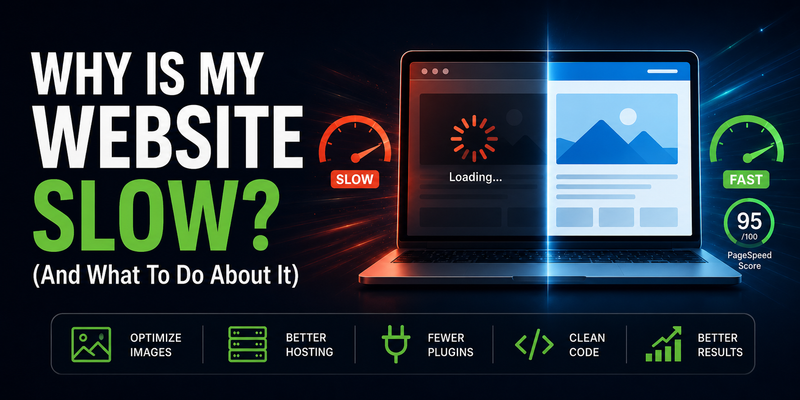
Why Is My Website Slow? (And What To Do About It)

A slow website isn’t just an annoyance — it’s costing you customers. Studies consistently show that more than half of mobile visitors leave a page that takes longer than 3 seconds to load. If your site is sluggish, people are bouncing before they’ve even read your first sentence. This guide explains why that happens and what you can do about it, in plain English.
First: How Do You Know If Your Site Is Actually Slow?
“It feels slow” is a start, but it’s not a diagnosis. Your experience of your own website is often misleading — your browser caches files from previous visits, your internet connection may be faster than your customers’, and you’re probably visiting from a desktop while most of your customers are on mobile.
The right way to measure your speed is with Google PageSpeed Insights. It’s free, takes 30 seconds, and gives you a score from 0–100 for both mobile and desktop — plus a list of specific issues to fix.
FREE SPEED TEST
Google PageSpeed Insights
Enter your URL and get an instant speed score with specific recommendations. Always check your mobile score — that’s what Google uses for rankings.
A score below 50 on mobile means there are serious problems. 50–89 means there’s meaningful room to improve. 90–100 is where you want to be. Run the test now if you haven’t — the rest of this guide will make more sense once you’ve seen your score.
The Most Common Reasons Small Business Websites Are Slow
1. Your Images Are Too Large
This is the number one culprit for slow small business websites, and it’s completely fixable. When you upload a photo taken on a modern smartphone or camera, that file can be 3–8 MB. A web page doesn’t need that — a well-optimized image for the web is typically 100–300 KB, and modern formats like WebP can get it even smaller without any visible quality loss.
If your homepage has a large hero photo, a few service images, and a team photo — and none of them have been optimized — you could easily be forcing visitors to download 15–20 MB of images just to load your front page. On a phone with average mobile data speeds, that’s brutal.
What to do: Compress every image before uploading it. Tools like Squoosh (free, browser-based) let you resize and compress images easily. Aim for images under 200 KB wherever possible, and convert to WebP format if your site supports it.
2. You’re on Cheap Shared Hosting
Hosting is where many small businesses try to save money — and it’s one of the worst places to do it. Cheap shared hosting means your website is sitting on a server alongside hundreds or thousands of other websites, all competing for the same resources. When another site on that server gets a spike in traffic, your site slows down. When the server is overloaded, every page on your site takes longer to respond before it even starts loading.
This shows up as a high “Time to First Byte” (TTFB) — the delay between a visitor’s browser requesting your page and your server starting to respond. If TTFB is over 600ms, your hosting is likely part of the problem.
What to do: If you’re on a $3–$5/month shared hosting plan, consider upgrading to a managed hosting provider or a faster platform. For simple small business sites, hosting on platforms like Cloudflare Pages or Netlify is extremely fast, globally distributed, and often free for static sites.
3. Too Many Plugins (Especially on WordPress)
If your site runs on WordPress, plugins are almost certainly contributing to your slow load times. Each plugin adds its own CSS stylesheets and JavaScript files that have to be downloaded by every visitor’s browser, every time they load a page — even if those files aren’t used on that particular page.
A typical WordPress site might have 15–25 plugins installed: one for SEO, one for forms, one for security, one for caching, one for backups, one for analytics, one for a popup, one for social sharing buttons… Each of them is adding weight. A caching plugin can help offset some of this, but it’s addressing a symptom rather than the cause.
What to do: Audit your plugins. Deactivate and delete any you don’t actively need. For the ones you keep, check if a lighter-weight alternative exists. If your PageSpeed score is in the red and you’re running 20+ plugins, that’s a strong signal that the platform itself may be the issue rather than something you can easily optimize around.
4. Your Theme Is Bloated
Premium WordPress themes are marketed on flexibility — they can do hundreds of things. The problem is that all that capability comes bundled into the code whether you’re using it or not. A multi-purpose theme like Divi or Avada loads a significant amount of CSS and JavaScript on every page, covering features and layouts you’ll never use.
This “bloat” adds to your page weight and slows down how quickly the browser can render your content. It’s one of the main reasons WordPress sites built on popular themes score poorly on PageSpeed Insights even when everything else has been reasonably well set up.
What to do: If you’re comfortable with WordPress, switching to a lightweight theme like GeneratePress or Kadence can make a measurable difference. If you’re not technical, this is a conversation to have with whoever manages your site.
5. Render-Blocking JavaScript
When a browser loads your page, it reads through the code from top to bottom. If it hits a JavaScript file before it’s finished building the visible page, it stops and waits for that script to fully download and run before continuing. This is called “render-blocking” — the page is ready to display, but the browser is stuck waiting on a script.
This is especially common with third-party scripts — Google Analytics, Facebook Pixel, chat widgets, cookie consent popups, and anything else added via a snippet of code. Each one can add 100–500ms of delay. These numbers add up fast.
What to do: Scripts should be loaded asynchronously or deferred so they don’t block the page from rendering. This is typically a developer task. If you’re using a tag manager like Google Tag Manager, make sure it’s configured correctly and that you’re not loading scripts you no longer use.
6. No Caching
Caching is the process of saving a ready-to-serve version of your page so the server doesn’t have to build it from scratch for every single visitor. On a WordPress site, every page load normally involves PHP code running, a database query fetching content, and then the page being assembled and sent to the browser. With caching enabled, the assembled page is stored and served directly — much faster.
Many WordPress sites are either missing a caching plugin entirely, or have one installed but not properly configured.
What to do: If you’re on WordPress, install a caching plugin like WP Super Cache or W3 Total Cache, or use a managed WordPress host that handles caching for you (like WP Engine or Kinsta). Static sites don’t have this problem at all — every page is already a pre-built file, so caching is effectively built in.
7. No Content Delivery Network (CDN)
If your website is hosted on a single server in, say, Toronto, and a visitor loads your page from Vancouver or Calgary, the data has to travel that physical distance. It happens fast, but it’s not instant — and it adds latency on top of everything else.
A CDN (Content Delivery Network) stores copies of your site’s files on servers in multiple locations around the world, so visitors are served from whichever location is closest to them. For a local Toronto business, this matters less for local visitors — but it still speeds up delivery of your static files (images, CSS, JavaScript) significantly.
What to do: Cloudflare offers a free CDN tier that works with most websites and is one of the most impactful free upgrades you can make. If you’re on managed WordPress hosting, a CDN is usually included.
The Real Fix: Why Some Sites Are Just Built Faster
Here’s the honest truth: many of the issues above are symptoms of the same underlying cause — the site was built on a platform that wasn’t designed for performance.
WordPress, Wix, Squarespace, and other CMS platforms make it easy to build a site quickly. But that convenience comes at a cost. The platforms are general-purpose, which means they ship code for features you’re not using. Plugins add more code. Themes add more code. By the time your site is live, the browser is downloading far more than it needs to just to display five simple pages.
A hand-coded, custom-built website doesn’t have this problem. Every line of code serves a specific purpose. There’s no plugin ecosystem to bloat the page, no theme framework loading unused CSS, no database queries slowing down the server response. The result is a site that loads in under a second and consistently hits 95–100 on Google PageSpeed Insights — not through optimization tricks, but because it was built lean from the start.
How fast should your site be? Google considers a Largest Contentful Paint (LCP) under 2.5 seconds to be “good.” The best sites load their main content in under 1 second. If your site is taking 4–6 seconds on mobile, you’re likely losing more than half your visitors before they see anything.
What To Do Right Now
Here’s a simple action list, in order of impact:
- Run a PageSpeed test at pagespeed.web.dev. Check your mobile score specifically.
- Compress your images. Use Squoosh or a similar tool. This alone can have a dramatic impact.
- Audit your plugins if you’re on WordPress. Remove anything you don’t actively need.
- Enable caching if it isn’t already set up on your WordPress site.
- Add Cloudflare for free CDN and performance improvements with minimal setup.
- Consider your hosting. If you’re on a $5/month shared plan, it may be time to upgrade.
If you’ve done all of the above and your site is still slow, the problem is likely deeper — in how the site was built. At that point, optimization workarounds can only do so much. A rebuild on a leaner foundation will consistently outperform a patched-up slow site.
Need a Faster Website?
At AZP Systems, we build hand-coded websites that load in under a second and score 95–100 on Google PageSpeed — not because we’ve applied a bunch of optimization tricks, but because we build lean from day one. No WordPress, no plugins, no bloat.
If your current site is slow and it’s costing you customers, we’re happy to take a look and give you an honest assessment of what’s going on.