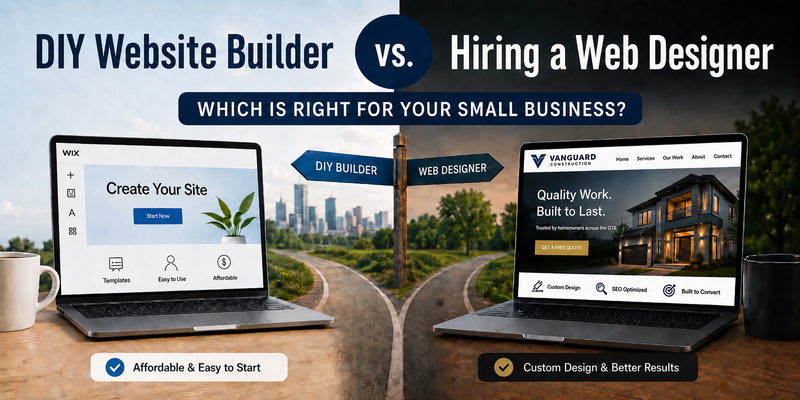
DIY Website Builder vs. Hiring a Web Designer

If you run a small business and need a website, you have probably stood at this exact fork. On one side are the drag-and-drop builders, Wix, Squarespace, GoDaddy, and the rest, promising a live site over a weekend for the price of a couple of coffees a month. On the other side is hiring someone to build it for you, which costs more money and takes more time.
Most advice on this topic is written by people with something to sell, so it lands hard on one side or the other. Here is the honest version: neither option is “better.” They solve different problems for different people. The real mistake is choosing on the sticker price alone, because the cheapest option at the start is often the most expensive once you count the part nobody prints on the price tag, which is your time and the customers a weak site quietly turns away.
So instead of telling you which to pick, here is how to figure out which side of the fork you are actually on.
When a DIY builder is genuinely the right call
Plenty of businesses should just use a website builder, and there is nothing wrong with that. A builder is a smart choice when the site is really a placeholder or a personal project rather than something your livelihood depends on, when you are testing an idea you are not ready to invest in yet, or when you have the time and actually enjoy the tinkering.
If that sounds like you, use a builder, keep your money, and do not feel bad about it for a second. A simple site you actually finish will always beat a beautiful one you never get around to commissioning.
But be honest with yourself about that first part, because this is where most people quietly miscategorize themselves. If customers research and compare you online before they call, your site is not a placeholder. It is doing a job, whether it does it well or not.
If you are not even sure your business needs a website in the first place, that is a fair question, and I worked through it on its own in Do Small Businesses Need a Website?. The rest of this post assumes you have landed on yes, and are deciding how to get one.
The catch most people do not see coming
Website builders are easy to start and surprisingly hard to finish well. The friction shows up later, after you have already sunk hours into it.
The first trap is finishing. The “one weekend” build has a way of becoming six weekends of fighting with templates, and the version you ship is usually the version you ran out of patience on, not the version that works best.
The second trap is “good enough.” A site can look perfectly fine to you and still fail at its actual job, which is turning a visitor into a phone call or a quote request. Looking finished and converting are two different things, and the gap between them is invisible until you notice the calls are not coming. The contractor whose quote form sits three scrolls down, under a slideshow nobody asked for, has no idea that is why the phone is quiet.
The third trap is speed, and it is the one people underestimate most. Builder templates are heavy, and heavy means slow, especially on the phones most people actually search from. This matters more than it sounds: Google’s own research found that as a page’s load time climbs from one second to three, the odds that someone gives up and leaves rise by roughly a third. A slow site loses people before they ever see what you offer, and you never even know it happened.
And finally, everyone’s site looks the same. Templates are built to be reused, so yours shares its bones with thousands of others. That sameness makes it harder to stand out, and harder to earn the trust that gets a stranger to call you instead of the next result down the page.
What you are actually paying a professional for
Here is the thing worth understanding: when you hire someone good, you are not paying for a prettier site. If looks were the whole game, the builders would be fine, because plenty of their templates look great. You are paying for judgment a template cannot have.
A template treats every page as equal. It does not know that, say, flat-roof repair is the service that actually pays your bills while the rest are nice extras. A good designer asks that question first, then builds the entire site so the thing that makes you money is the thing a visitor cannot miss. That one decision, which service leads, where the contact prompt sits, what a customer needs to see before they trust you, is worth more than any template feature, and it is precisely what a builder leaves entirely up to you.
You are also paying to not get trapped by your own website. The fear that keeps people on DIY builders is control: “if someone else builds it, I won’t be able to change anything.” A good setup is the opposite. You should be able to get your hours updated, a service added, or a price changed without learning anything or touching code, just by asking. You run the business, the site gets handled. That is the part DIY never actually gives you, because with DIY, you are the one stuck doing it, forever.
One more thing worth saying: “hiring a pro” is not a single choice. If you go that way, the next fork is how the site actually gets built, hand-coded or on a platform like WordPress, and that decision drives your speed, your security, and how much ongoing upkeep you are signing up for. That is its own comparison, and I broke it down in WordPress vs. Custom Website.
The cost conversation, honestly
“DIY is free” is not true, and “hiring a pro is expensive” does not have to be.
DIY’s cost is simply paid in hours instead of dollars, plus whatever business a weaker site leaves on the table. And hiring out a site no longer means a single large cheque the way it used to. Monthly plans with little or no money down have put professional builds within reach of businesses that could never have justified a few thousand dollars in one shot.
So the real comparison is not zero dollars versus a big invoice. It is “your hours plus a site that underperforms” against “a site that does its job while you do yours.” Framed that way, the math changes for a lot of people.
And if hiring is where you have landed, the obvious next question is what it actually costs, from DIY builders all the way up to full agencies. Rather than rehash that here, I put every tier side by side in How Much Does a Website Cost in Toronto?
How to decide (without fooling yourself)
There is an easy way to get this wrong, and it is the most common one: “I’ve gotten by without a real website, so I clearly don’t need one.”
The trouble with that logic is that it only counts the customers who found you and called anyway. It cannot count the ones who heard your name, looked you up, were not convinced by what they found (or did not find), and quietly called someone else instead. Nobody sends you a notification for the call you did not get. “I’ve survived without it” almost always means “I have no idea what it has cost me”, not “it costs me nothing.”
So ask a better question, one that does not depend on how your current site happens to be doing today: before someone decides to call you, do they look you up online first?
For nearly every business now, the answer is yes. A referral checks you out before they trust the recommendation. Someone who finds you on Google sizes you up before reaching out. The moment that is true, your website is already part of the decision, whether you meant it to be or not, and whether it is winning you those people or quietly losing them.
If you genuinely work in some corner of the world where nobody looks you up before buying, then fine, a placeholder is all you need. But if people do check, and they almost certainly do, then the question was never whether your website matters. It is whether it is doing its job, or costing you customers you will never know you lost.
If you are on the “yes” side
If your business depends on its website and your current one is not pulling its weight, or you do not have one yet, that is exactly what we do. Fast, hand-coded sites with no templates and no monthly surprises, built around the one thing that matters: getting you more calls.